
Network
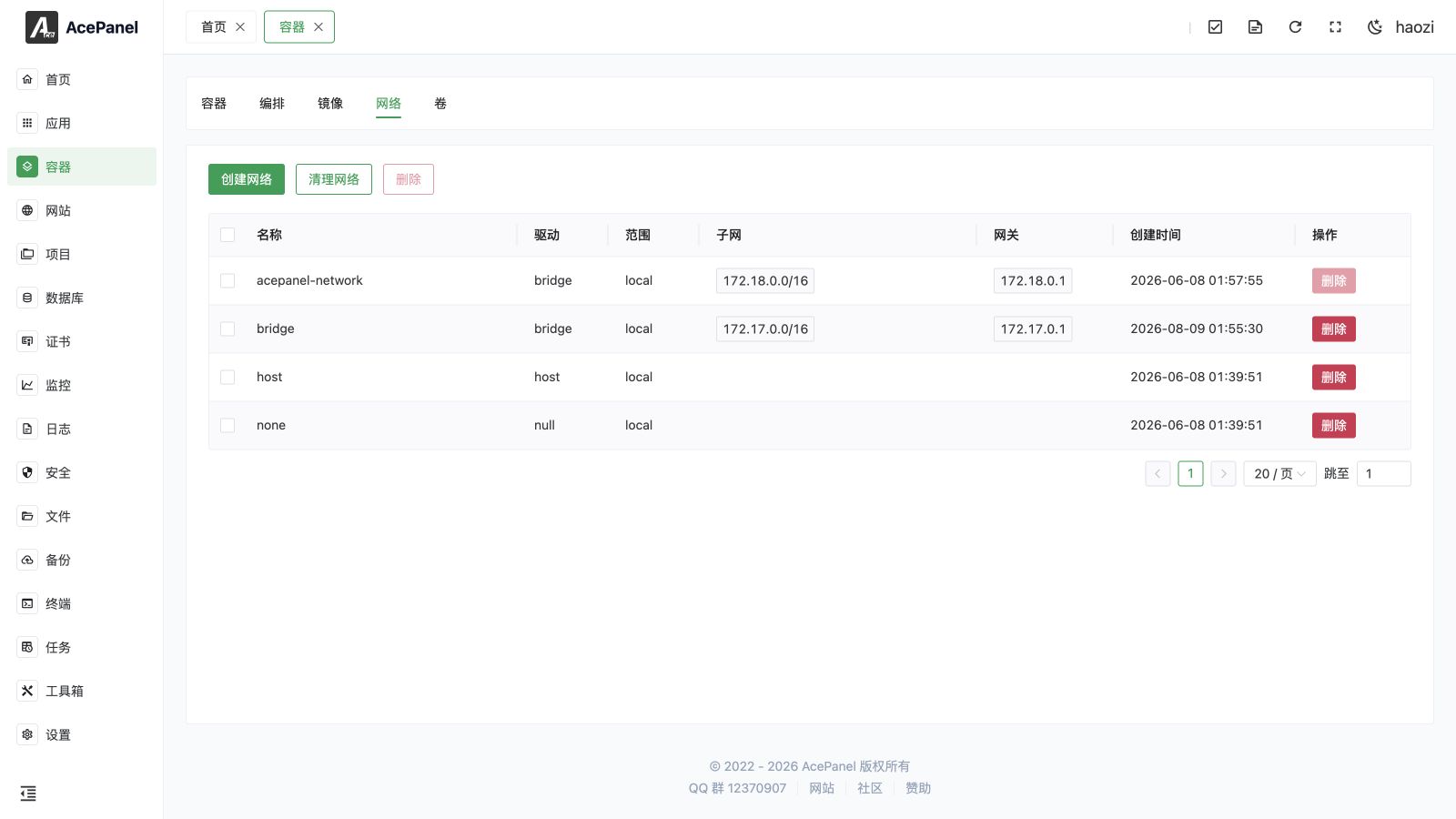
Docker networks are used for communication between containers. Through the network management page, you can create, view, and delete networks.
Network List
Go to Container > Network tab to view the network list.
Each row begins with a selection checkbox, used to pick networks for bulk deletion (see Delete Network).
The list displays the following information:
- Name: Network name
- Driver: Network driver type
- Scope: Network scope
- Subnet: Network subnet address. When a network is configured with both IPv4 and IPv6, this column shows one tag per address family, so you may see multiple subnets here.
- Gateway: Network gateway address. Like the Subnet column, this shows one tag per address family and may list multiple gateways for dual-stack networks.
- Created Time: Creation time
- Actions: Delete
Default Networks
Docker automatically creates the following networks after installation:
| Network Name | Driver | Description |
|---|---|---|
| bridge | bridge | Default network, containers access external network through NAT |
| host | host | Container directly uses host network, no network isolation |
| none | null | No network, container is completely isolated |
AcePanel also creates the acepanel-network network for containers deployed by panel compose templates. Please do not delete it.
Create Network
- Click the Create Network button
- Enter network name
- Select network driver
- Toggle IPV4 and/or IPV6 on to configure the subnet, gateway, and IP range for each address family (optional)
- Add custom Labels and Options as key-value pairs (optional)
- Click Submit
Network Drivers
- bridge: Bridge network, the most commonly used network type. Containers connect through a virtual bridge and can communicate with each other.
- host: Host network, container directly uses the host's network stack, best performance but no isolation.
- overlay: Overlay network, used for cross-host container communication (Swarm mode).
- macvlan: MAC VLAN network, assigns independent MAC addresses to containers.
- ipvlan: IP VLAN network, containers share the host's MAC address but get independent IP addresses.
- none: Disables networking for the container.
Network Usage
Specify Network When Creating Container
When creating a container, select the network to use in the Network option.
Communication Between Containers
Containers in the same network can access each other by container name.
For example, in the acepanel-network network:
- Container A is named
web - Container B is named
db - Container A can access Container B's database through
db:3306
Delete Network
Click the Delete button in a network's row to delete a single network, or check multiple rows and click the top Delete button to delete them in bulk.
Note
- The built-in
acepanel-networkcannot be deleted; its Delete button is disabled - Predefined networks (bridge, host, none) are rejected by Docker itself and cannot be removed
- If there are containers in the network, you need to delete or disconnect the containers before deleting the network
Clean Networks
Click Cleanup Networks to remove all unused networks. Networks created by AcePanel are excluded from cleanup.