
Volume
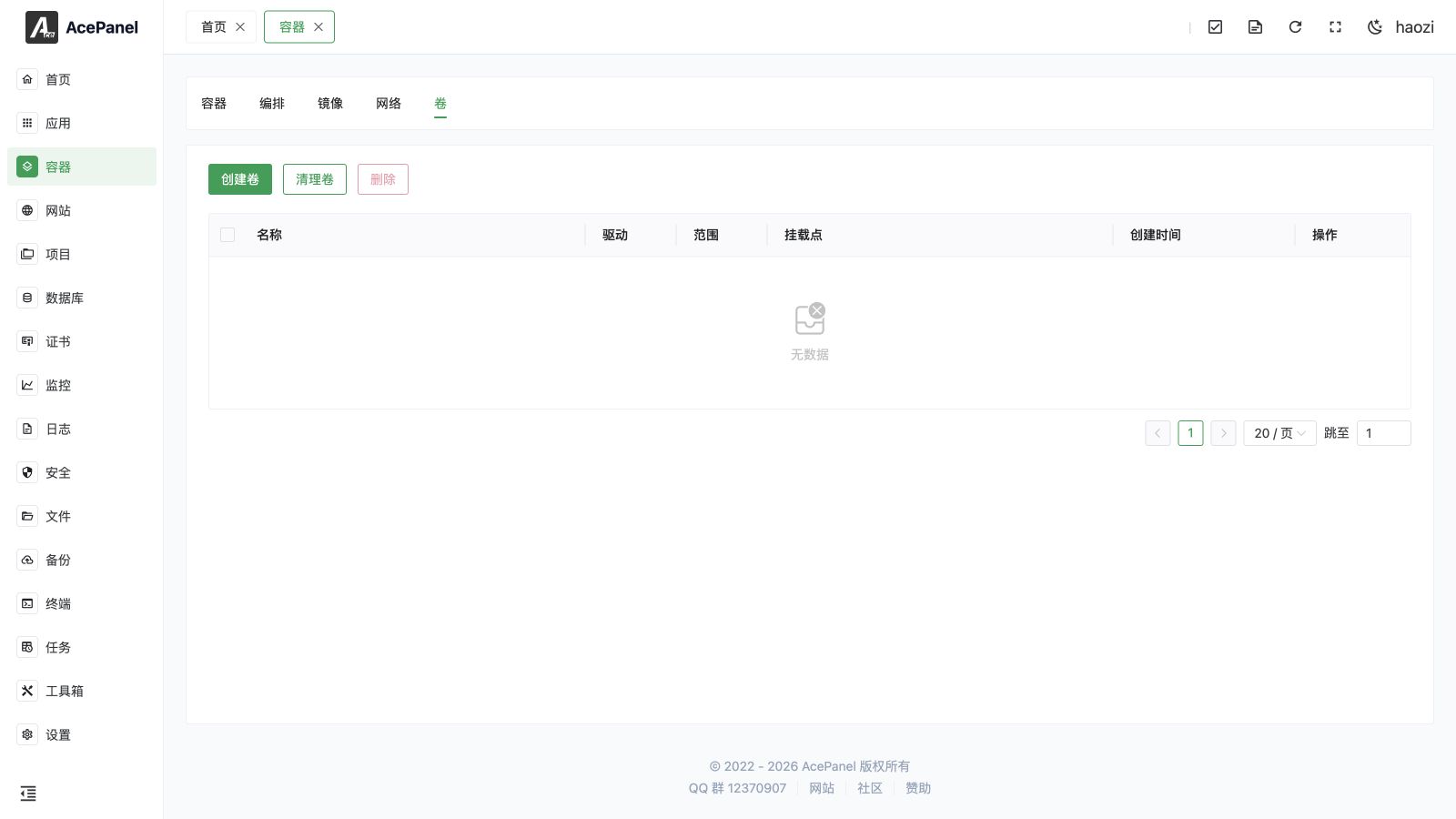
Volumes are Docker-managed data storage used to persist container data. Compared to directly mounting host directories, volumes are managed by Docker, making them more secure and portable.
Volume List
Go to Container > Volume tab to view the volume list.
The list displays the following information:
- Name: Volume name
- Driver: Storage driver
- Scope: Volume scope
- Mount Point: Actual storage path of the volume on the host
- Created Time: Creation time
- Actions: Delete
Create Volume
- Click the Create Volume button
- Enter the volume name
- Select the driver (only
localis supported) - Optionally add Labels and Options (key-value pairs passed to the driver)
- Click Submit
Using Volumes
Mount Volume When Creating Container
When creating a container, add volume mounts in the Volume option:
- volume_name:container_path - Use named volume
- host_path:container_path - Directly mount host directory
For example:
mysql_data:/var/lib/mysql- Mount mysql_data volume to container's /var/lib/mysql/opt/ace/data:/data- Mount host's /opt/ace/data directory to container's /data
Volume vs Bind Mount
| Feature | Volume | Bind Mount |
|---|---|---|
| Management | Docker managed | User managed |
| Storage Location | Docker data directory | Any host path |
| Backup | Requires Docker commands | Directly backup directory |
| Portability | High | Depends on host path |
| Use Cases | Data that needs persistence like databases | Configuration files, code directories |
Delete Volume
Click the Delete button on a volume row to delete a single volume. You can also check multiple volumes and click the Delete button at the top to delete them in bulk.
Warning
Deleting a volume will permanently delete all data in the volume. This operation cannot be undone!
Note
A volume that is in use by a running container cannot be removed. Stop the containers using it first, then delete the volume.
Clean Volumes
Click Cleanup Volumes to delete all unused volumes and free up disk space. Volumes created by AcePanel itself are preserved.
Note
Please confirm that unused volumes do not contain important data before cleaning.
Data Backup
Volume data is stored in the Docker data directory (usually /var/lib/docker/volumes/). You can backup through the following methods:
- Use
docker runto create a temporary container that mounts the volume and exports data - Directly backup the Docker data directory (requires stopping Docker service)