
AcePanel 3.0 Official Release
Long time no see. After several delays, AcePanel 3.0 was finally completed in early 2026. After about 3 weeks of internal testing, it's time to release.
Upgraded to New Brand Name AcePanel
AcePanel was originally named Rat Panel, a server operation and maintenance management panel I developed at the end of 2022.
The most common feedback I received was that the name Rat Panel didn't sound good, so we've now changed to a more sophisticated name - AcePanel.
In this article, AcePanel refers to AcePanel 3.0 version.
Support for Runtime Environments and Project Management
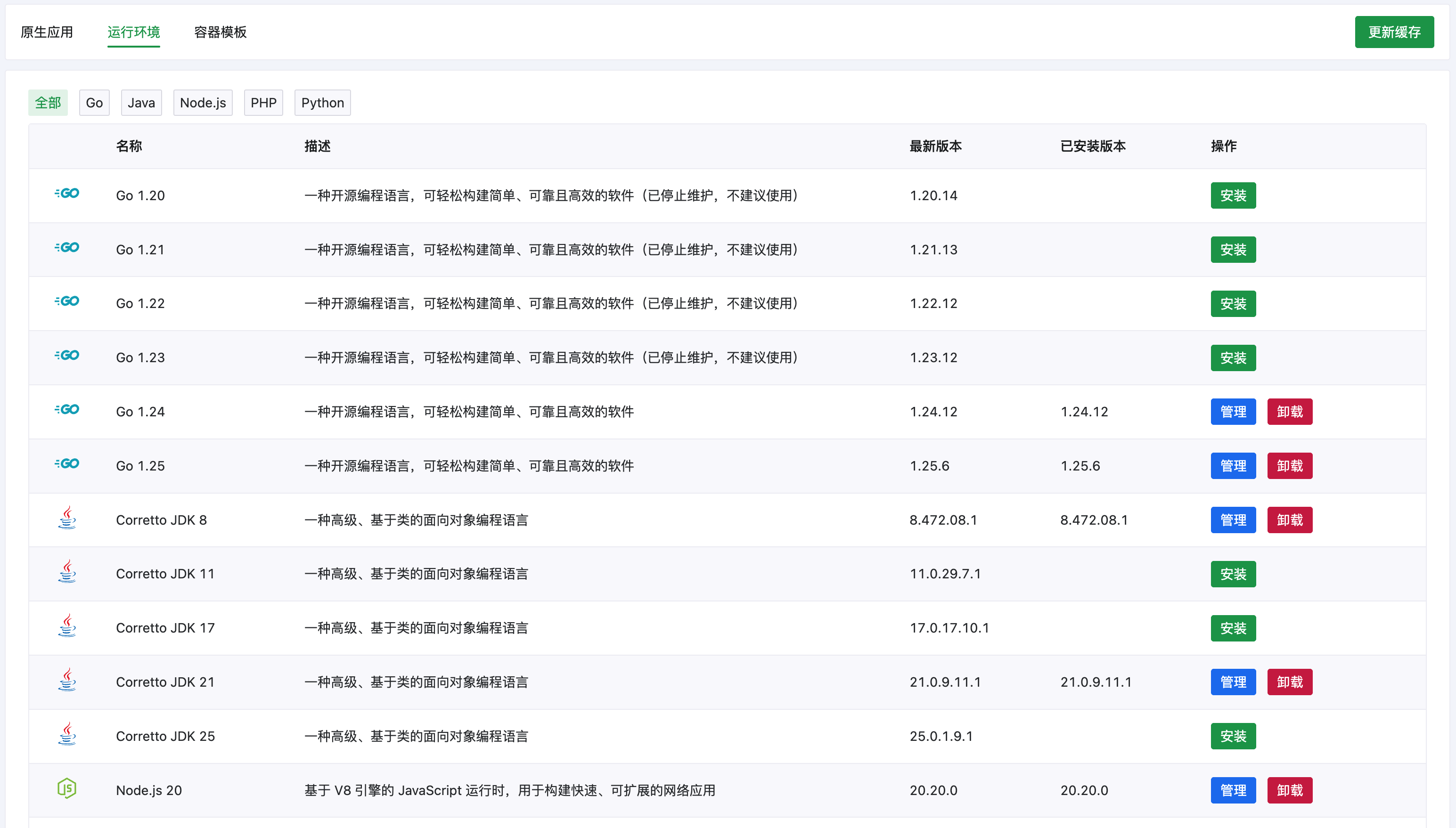
The biggest update in AcePanel is the new runtime environment feature, supporting one-click installation and management of Go, Java, Node.js, PHP, Python and other runtime environments, with support for multiple versions coexisting.
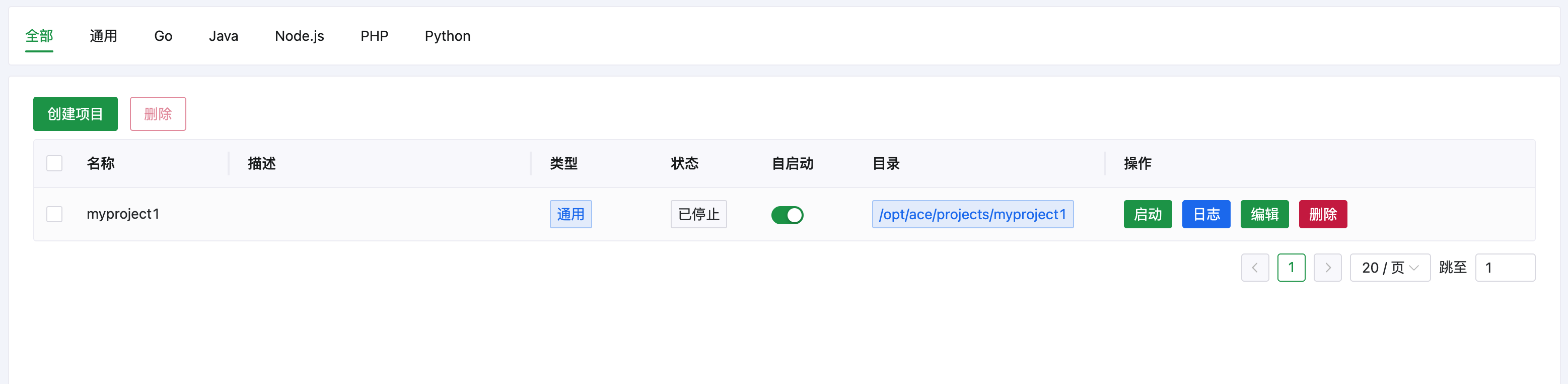
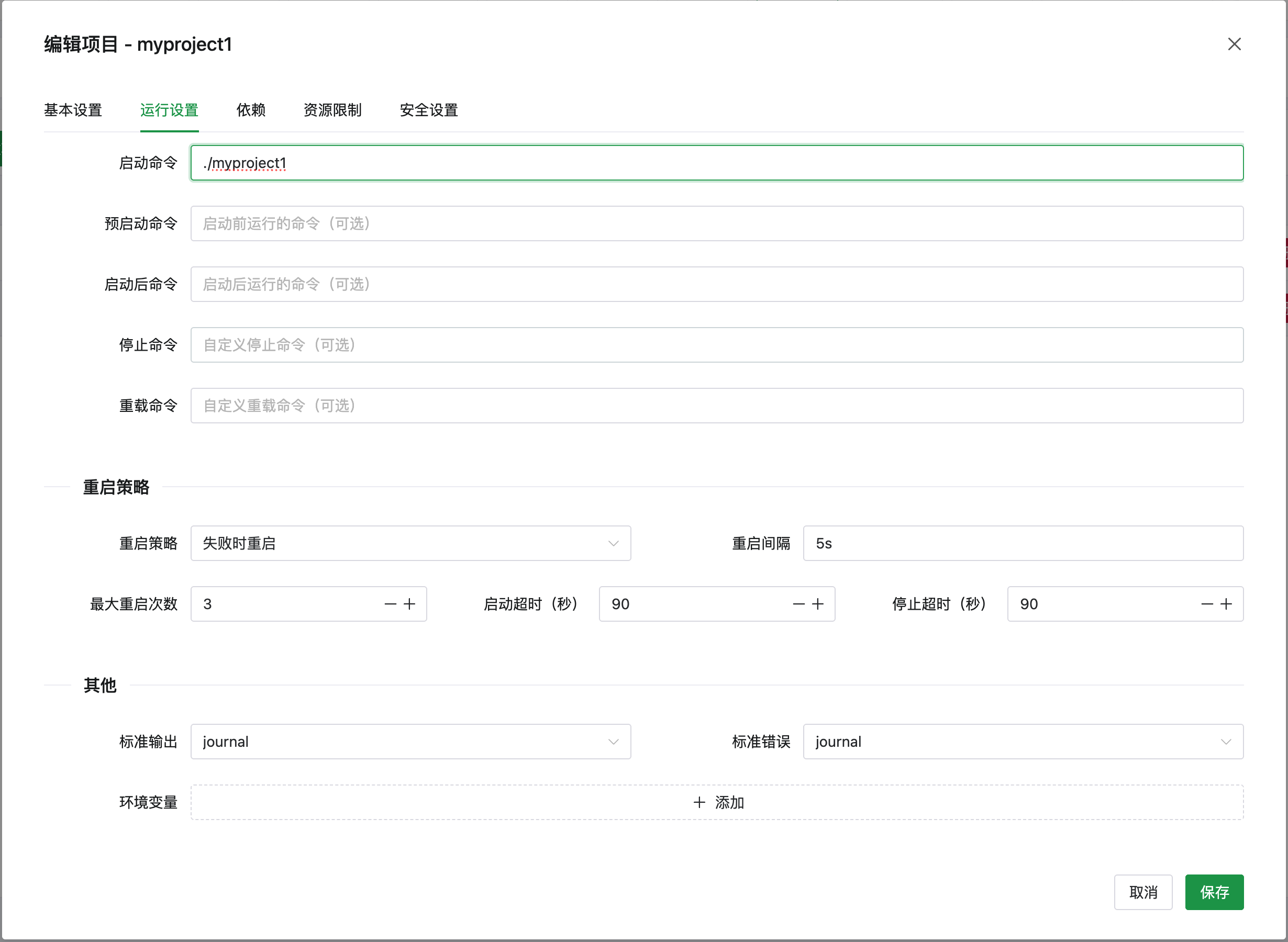
At the same time, AcePanel has developed a brand new project management feature based on the powerful capabilities of Linux systemd, supporting one-click creation and management of various Web projects and daemon programs through installed runtime environments, which can replace tools like PM2 and Supervisor.
Website Management Refactored
AcePanel has also refactored the website management feature, reorganized the website directory structure, supports 3 website types: reverse proxy, static, and PHP, and added multiple common configurations and customization features.
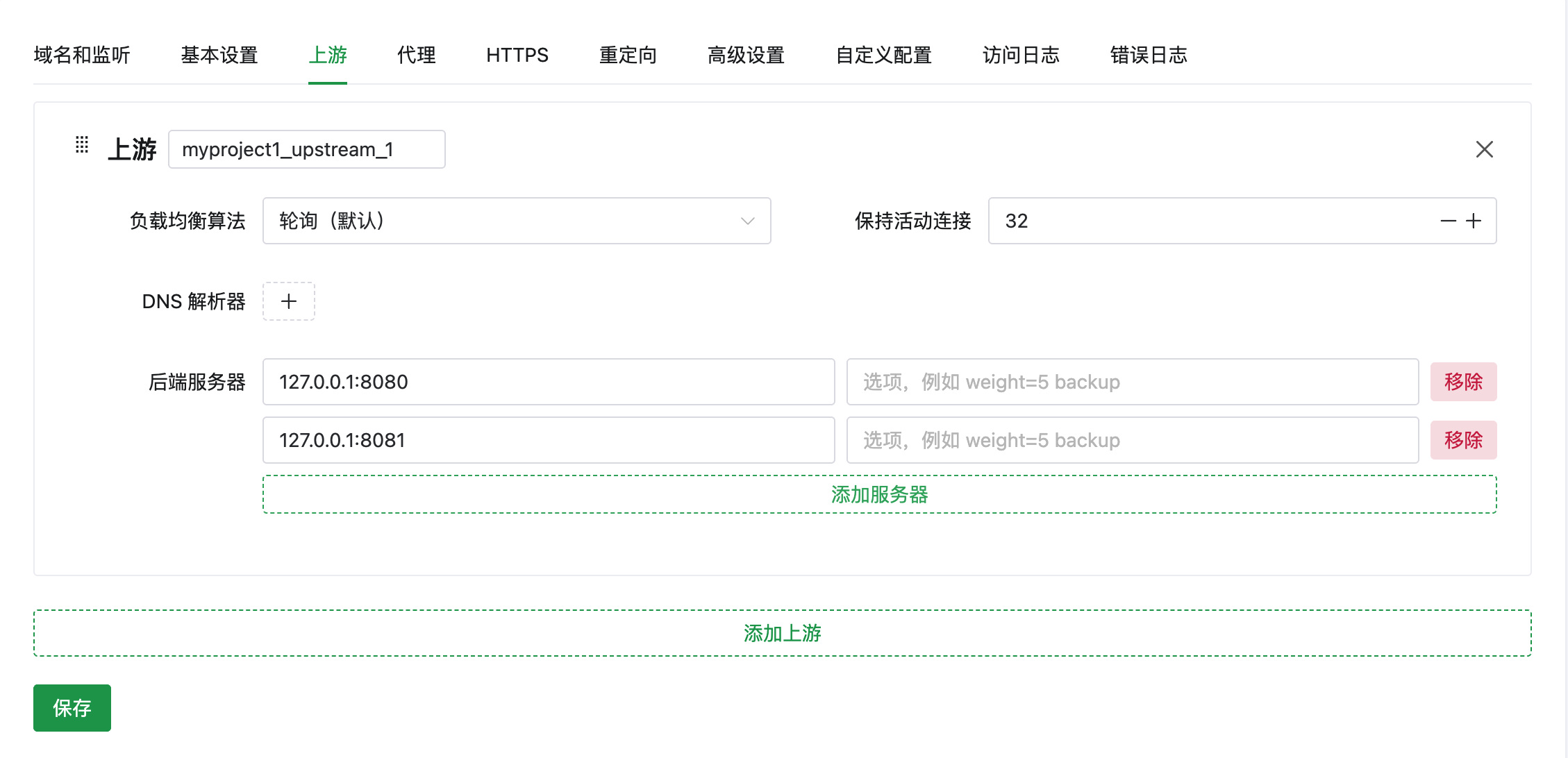
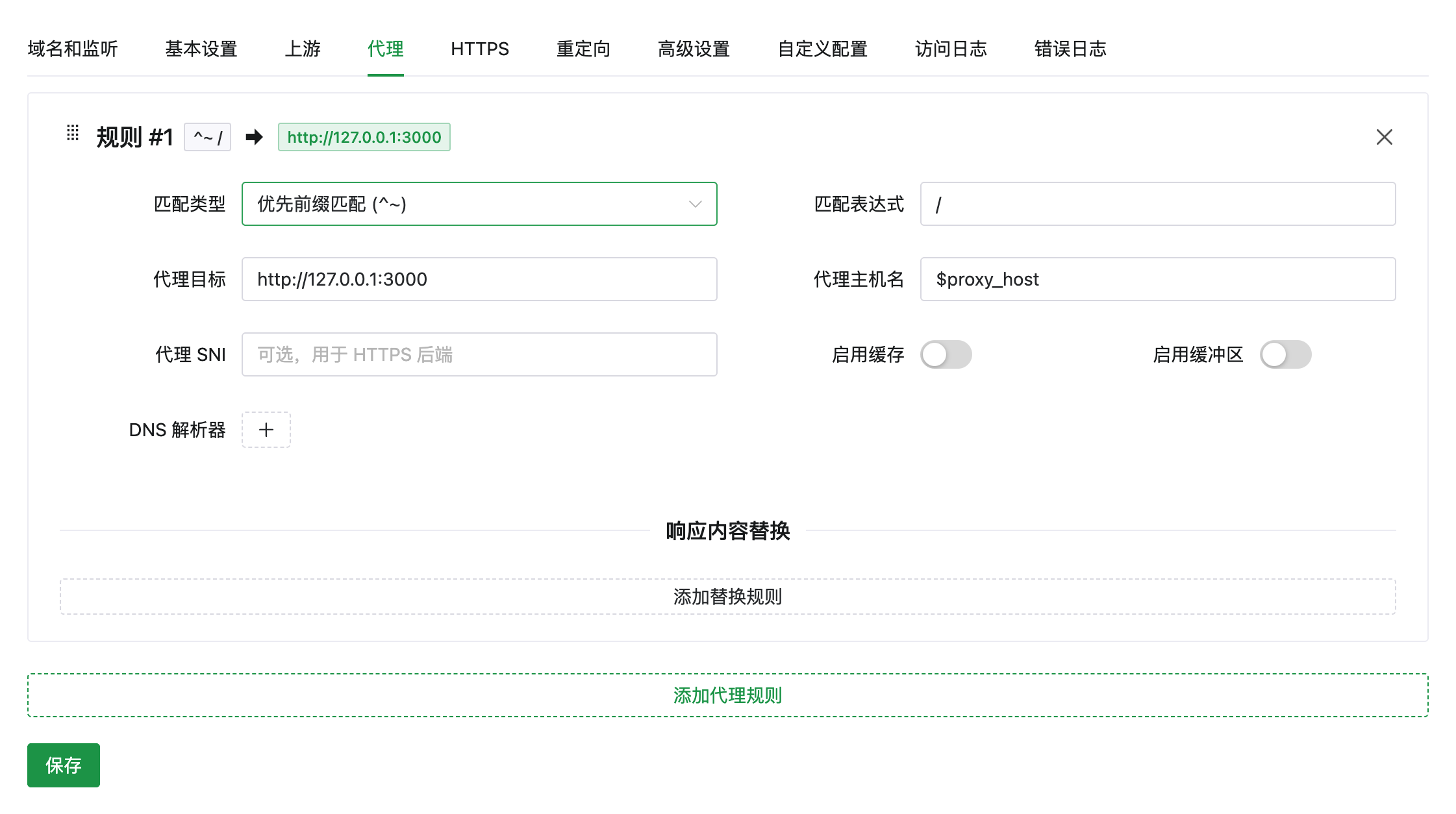
The new website directory structure allows flexible addition of various custom configurations without conflicts.
App Center Optimization
AcePanel officially launches the long-awaited container compose template feature, supporting one-click deployment of common programs like WordPress, Nextcloud, GitLab, etc.
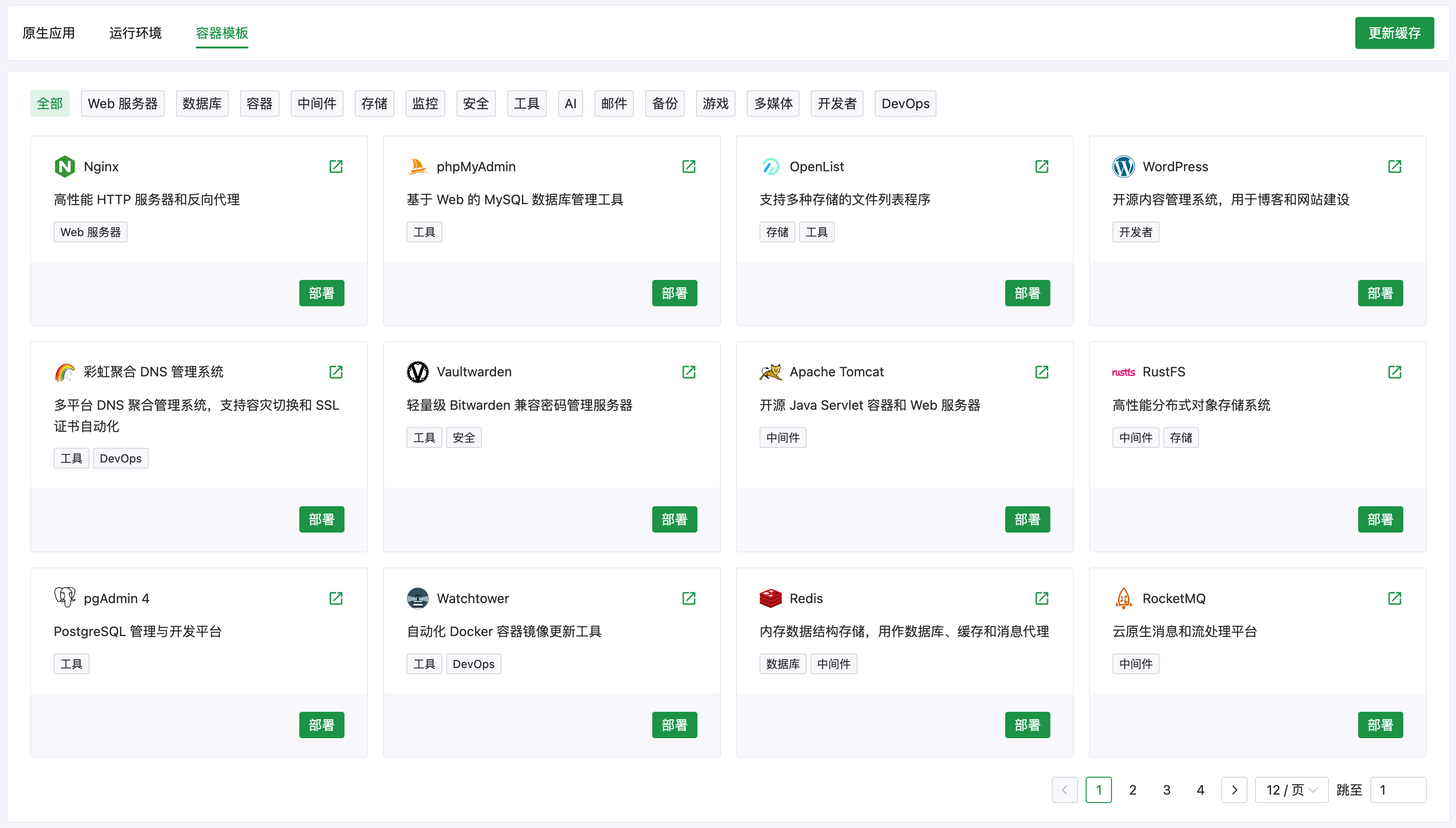
(Missing the program you want? Feel free to submit a PR to the AcePanel template library, see the end of this article for details)
AcePanel has added Nginx, MySQL, and MariaDB on top of the original OpenResty and Percona, and optimized the installation process of many applications to improve installation speed. Especially for Percona/MySQL/MariaDB, pre-built installation packages are used for common systems to greatly improve installation speed and success rate.
(In testing, MySQL can usually be installed within 2 minutes)
Backup Optimization
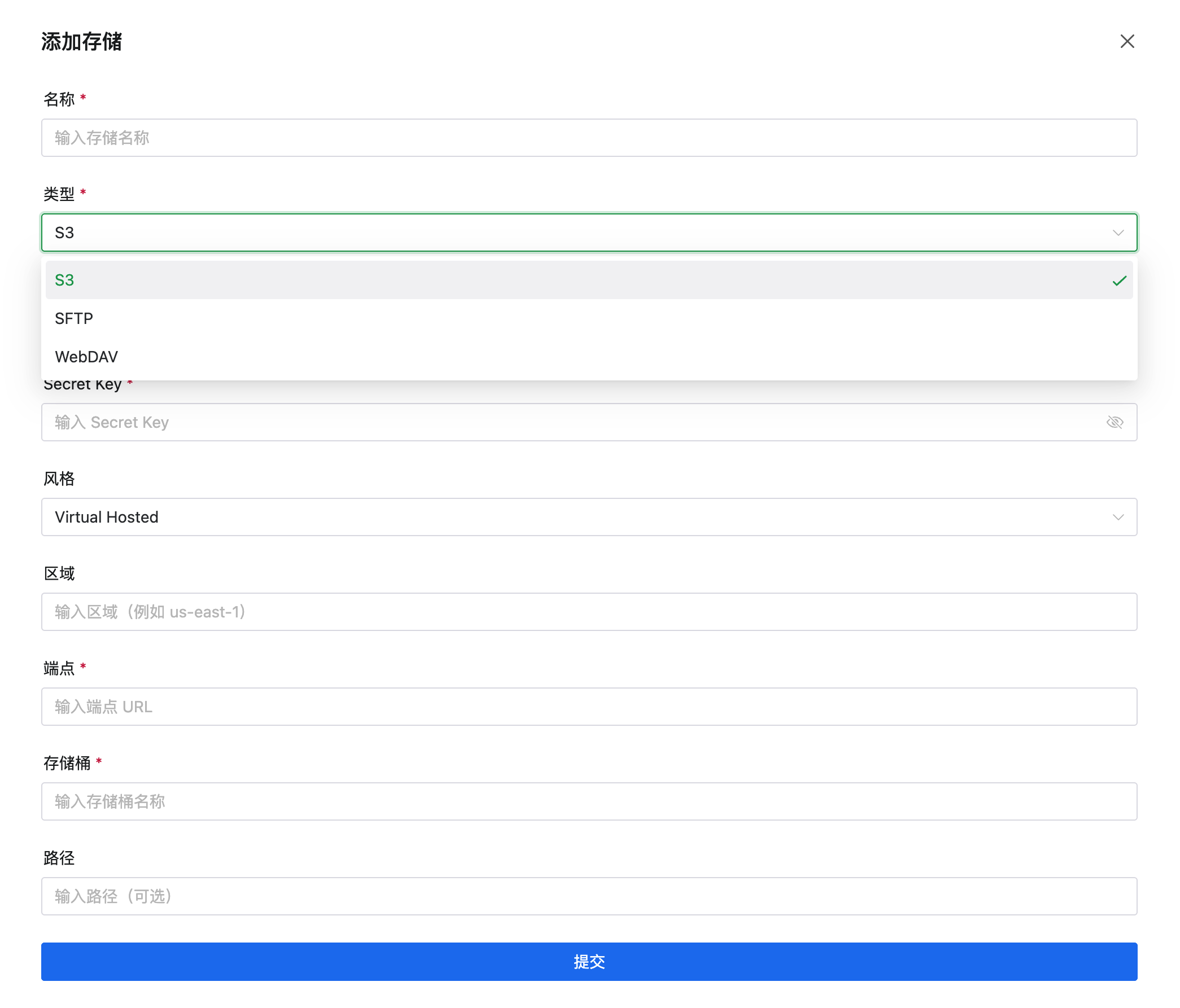
AcePanel has optimized the backup feature, added backup storage settings, supporting common remote storage like S3, SFTP, etc.
(You might ask why there's no OSS, COS? This is because OSS, COS, etc. all provide S3-compatible interfaces and can be configured directly using S3, so there's no need to introduce dependencies and additional development for them separately.)
Brand New Panel Helper
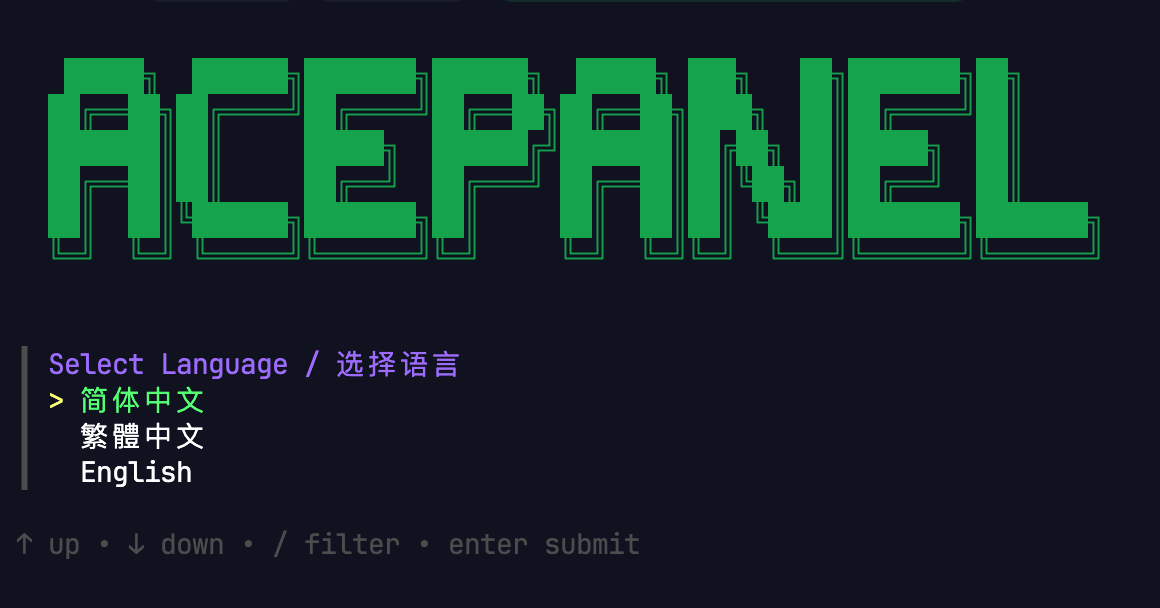
AcePanel has rewritten the original shell script-based installer using Go language. The new panel helper fully supports interactive installation and multiple languages, providing a better and more modern user experience.
Usage Optimization
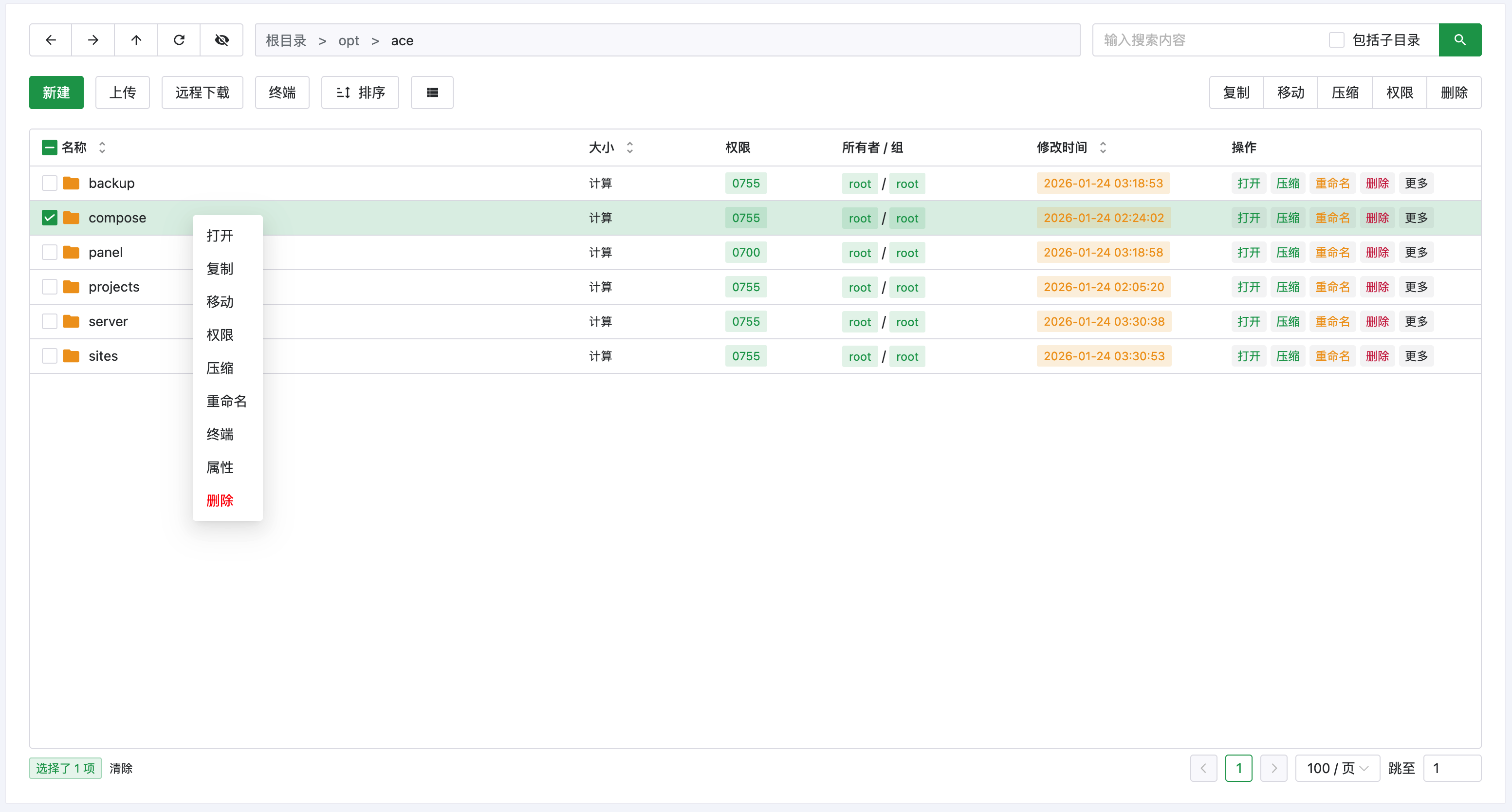
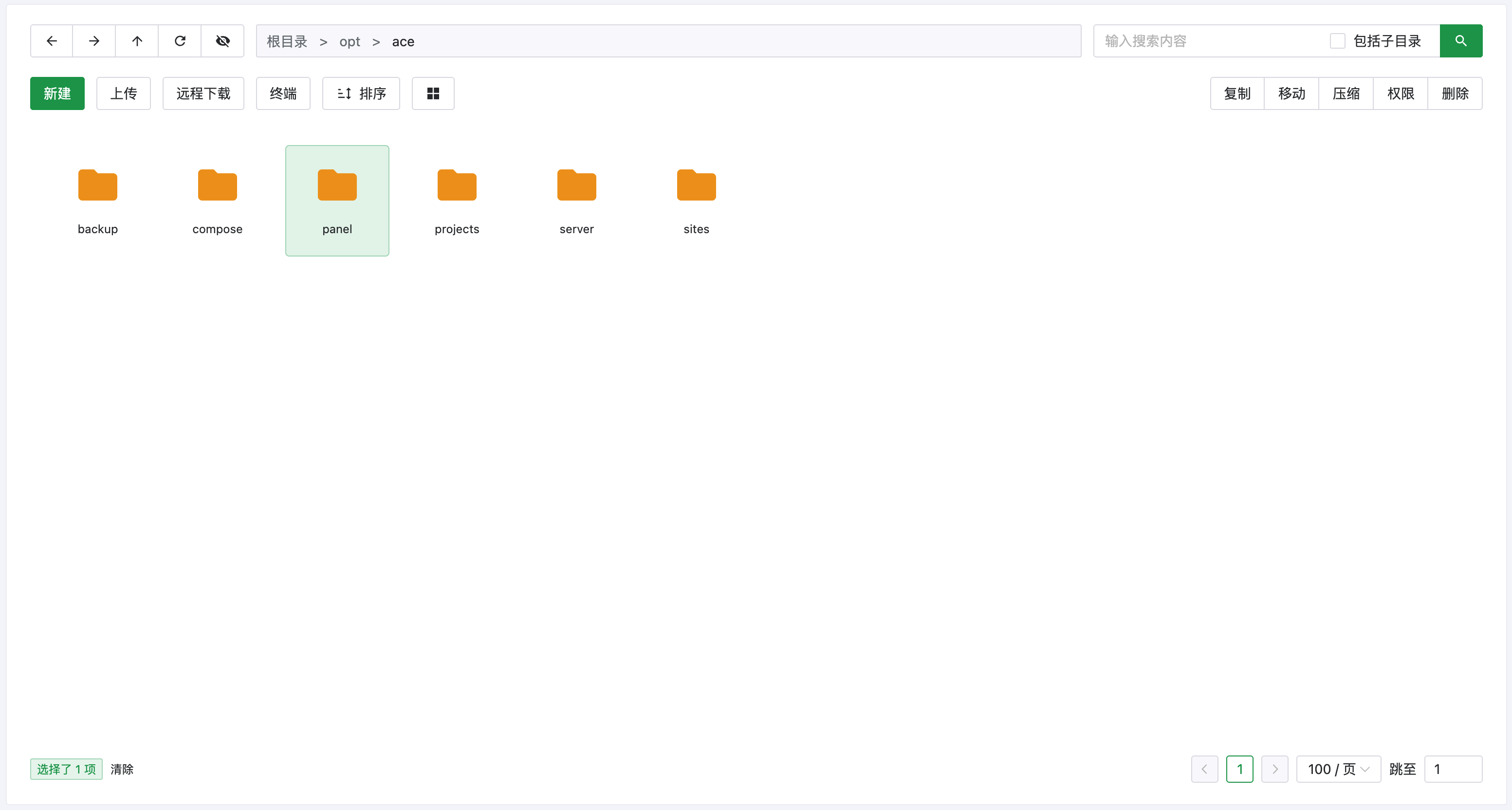
AcePanel has comprehensively optimized file management, restoring an operation experience similar to Windows Explorer (supports keyboard shortcuts).
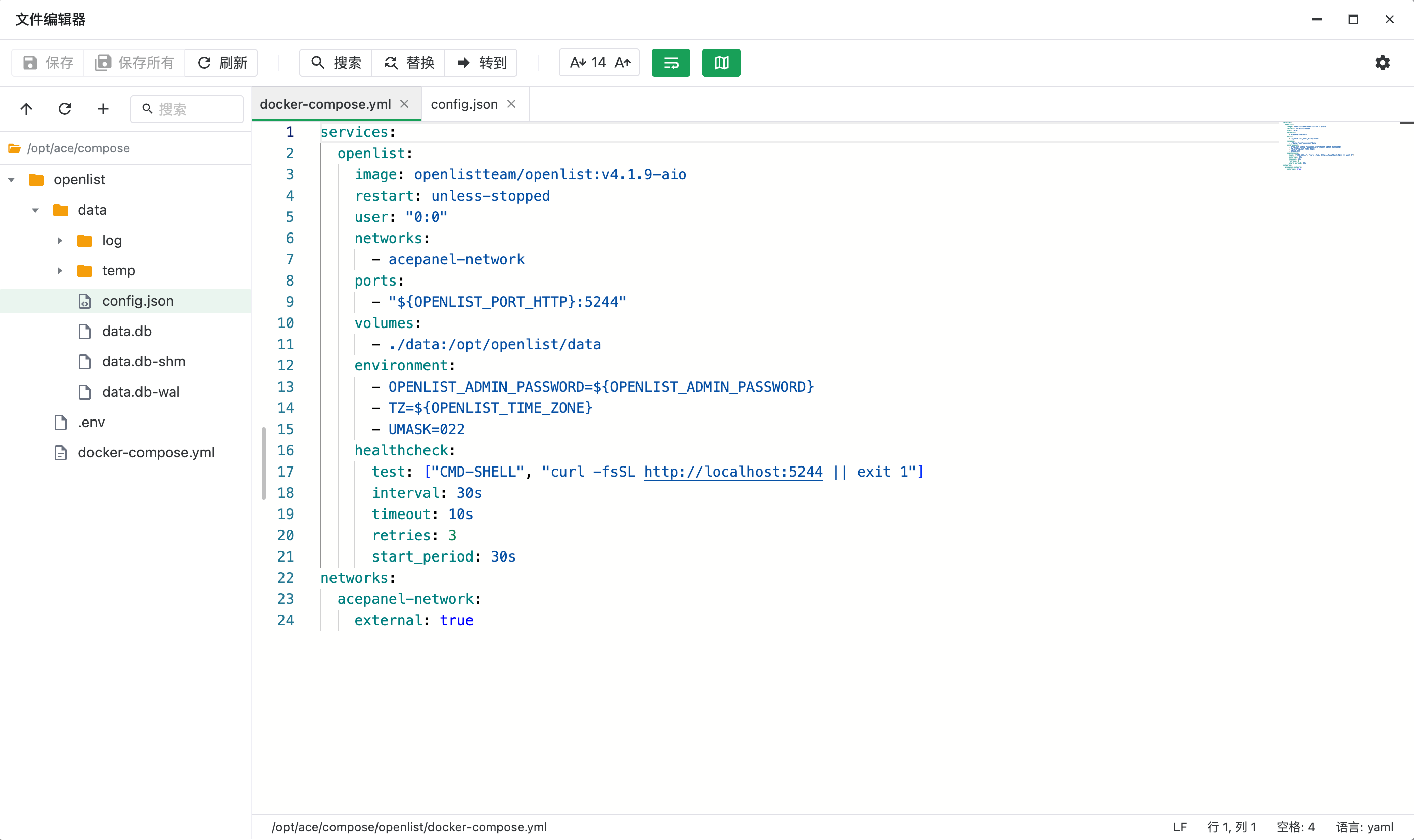
A brand new file editor developed based on Monaco, which is both an editor and can be used as an online IDE (also supports keyboard shortcuts).
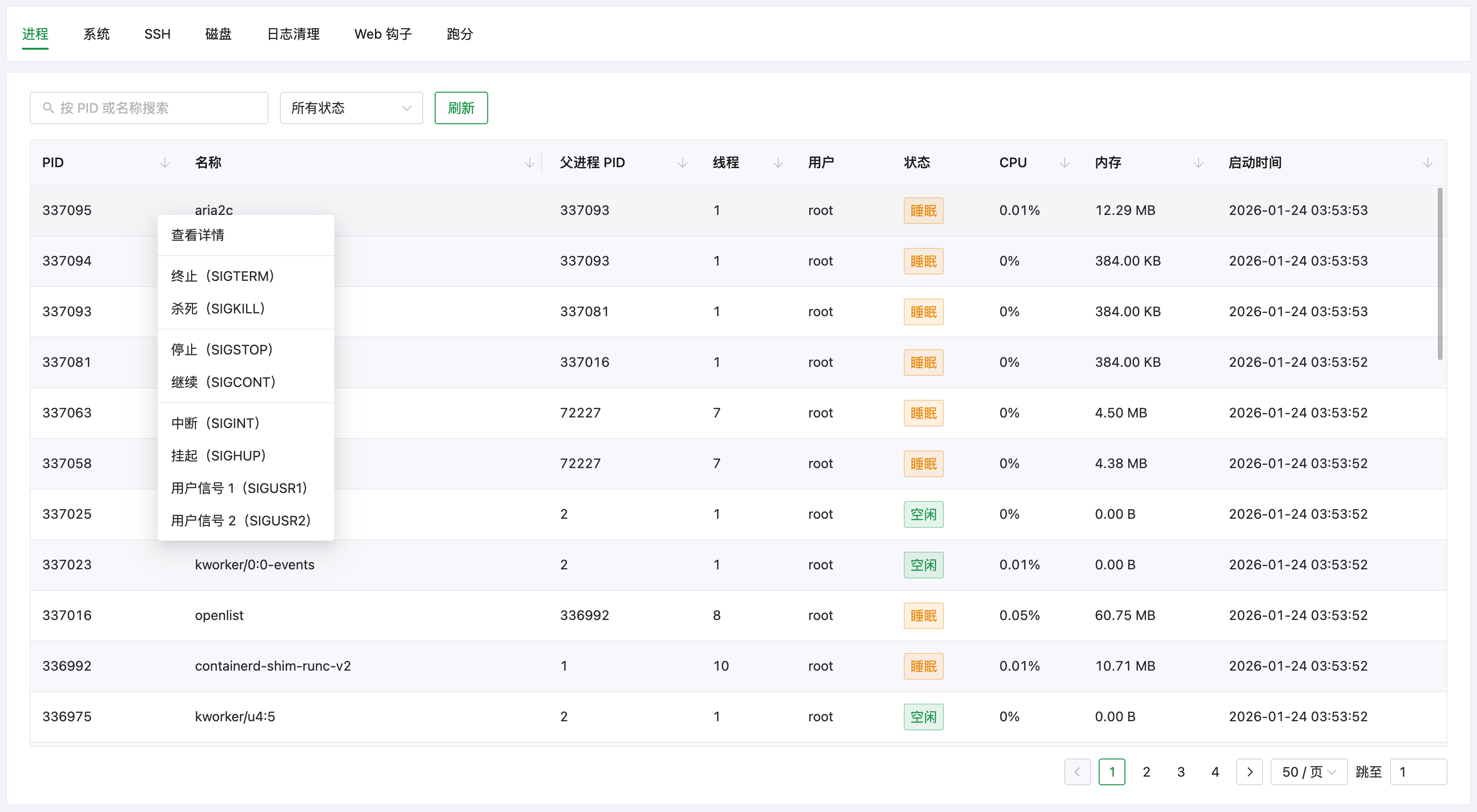
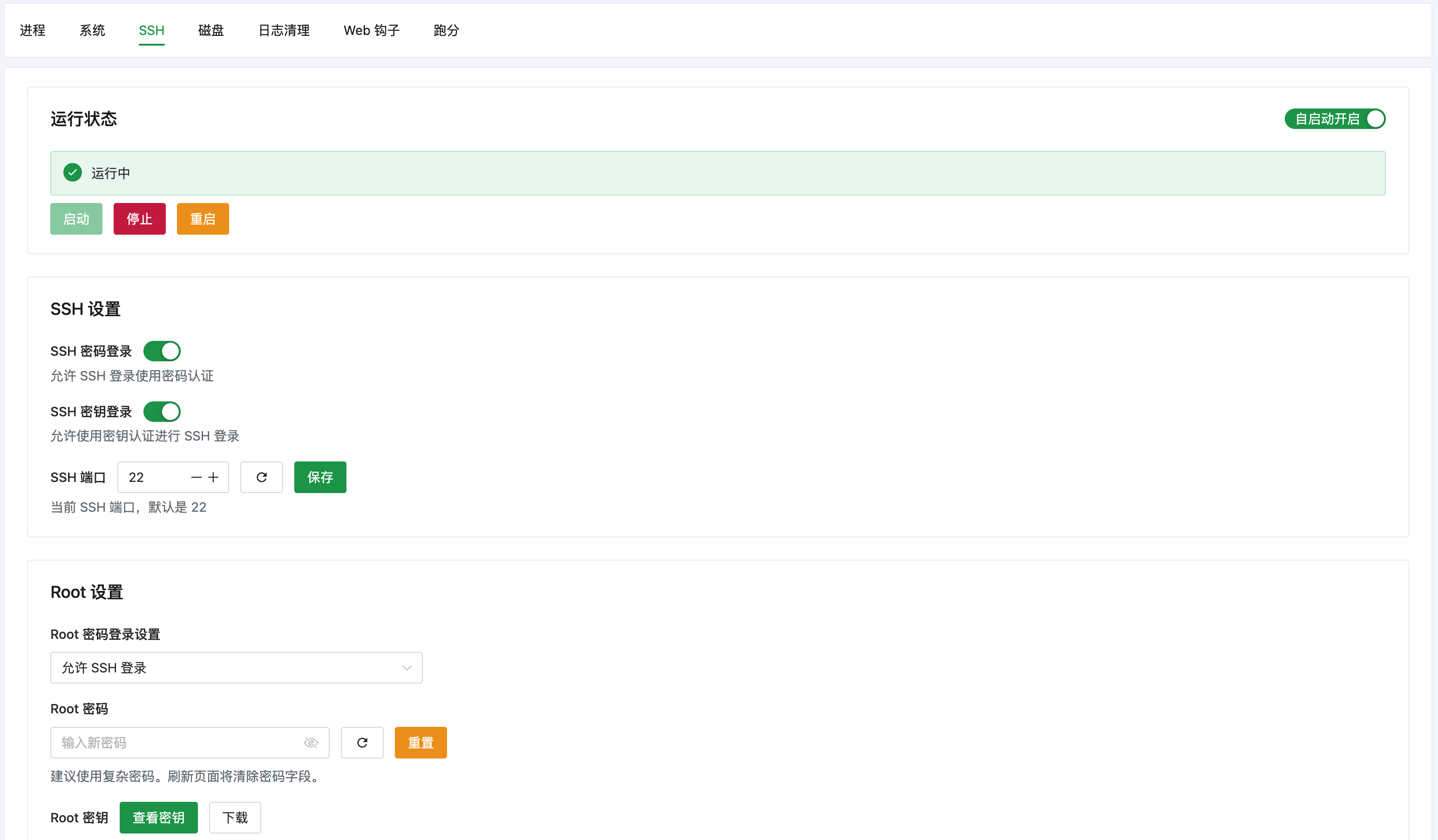
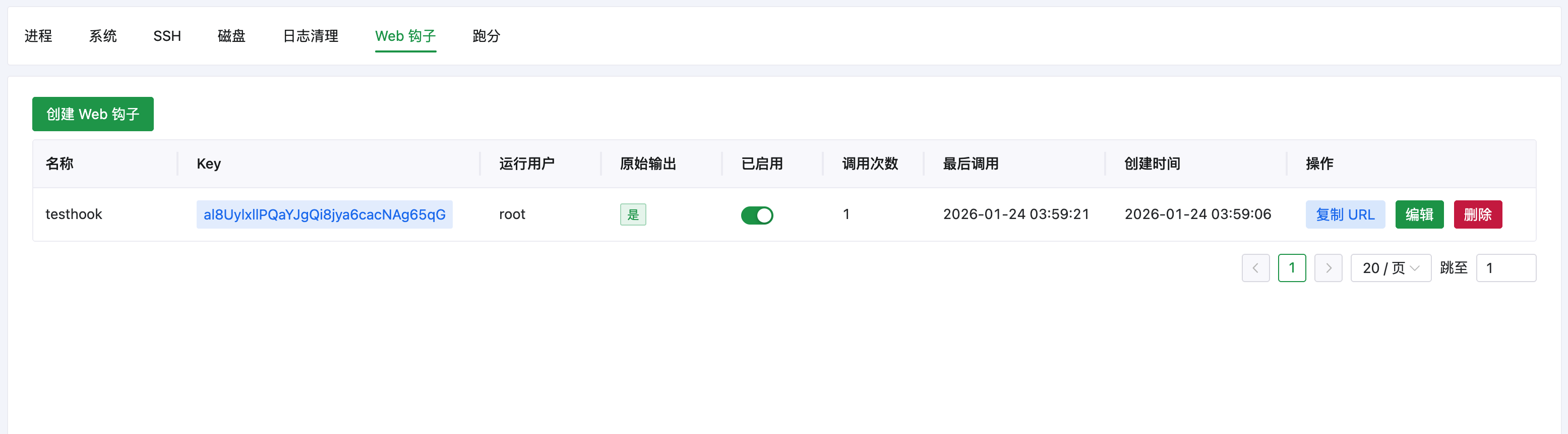
Toolbox capabilities have been comprehensively enhanced. Process management supports right-click operations, and new features include SSH service management, disk management, log cleanup, and Web hooks.
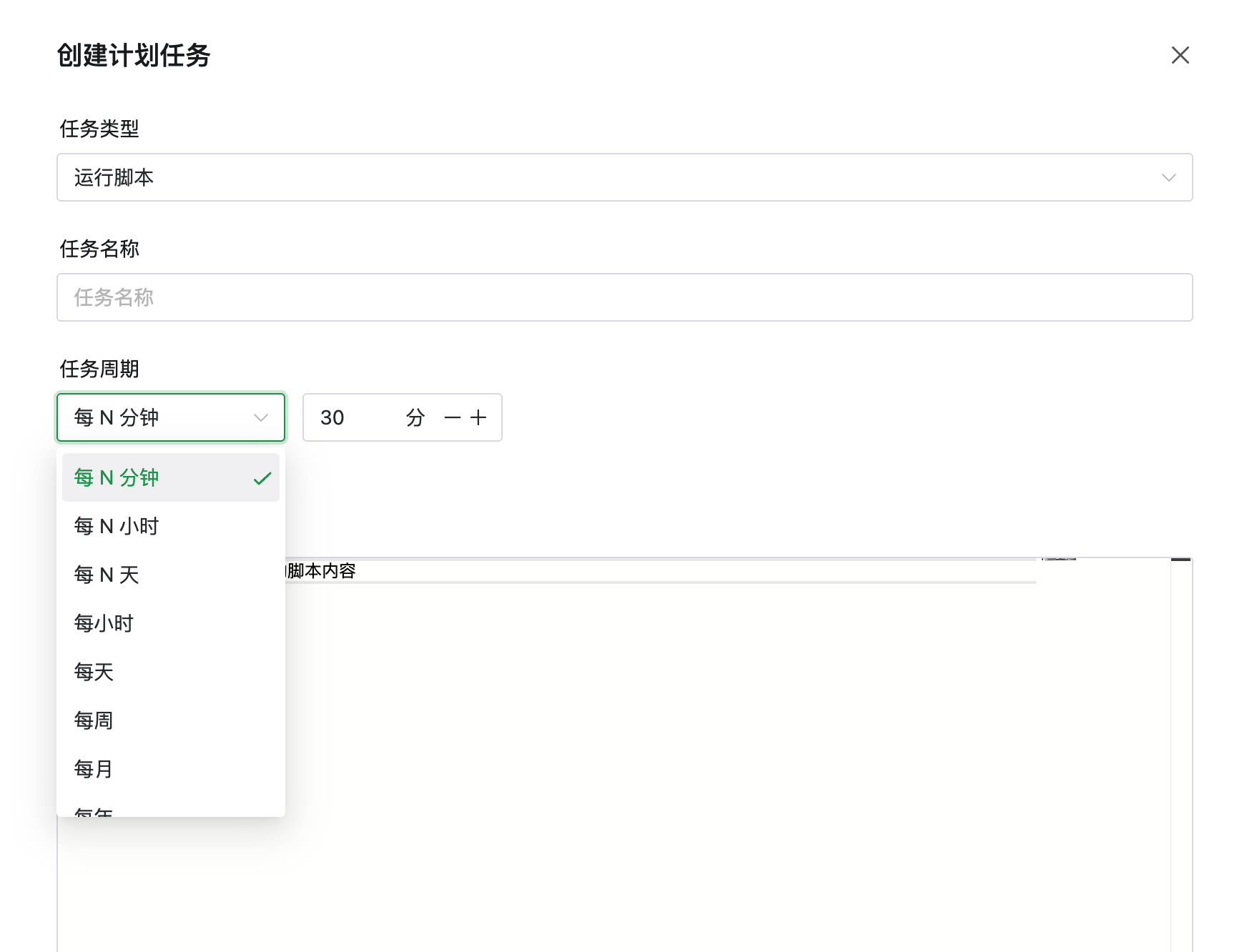
The scheduled task period selector has been rewritten, providing a more friendly interaction experience.
Other Optimizations
- Support using ACME to apply for Let's Encrypt IP certificates
- Entrance error page supports customization
- Login supports automatic captcha activation
- Custom Logo and hidden menu support long-term saving
- Added operation log recording and viewing feature
- Certificate management adds ACME ARI support
- Icons are fully localized, no longer dependent on external CDN
- Nginx/OpenResty adds Stream support (Layer 4 proxy)
- Added PHP 8.5 support
- Added Apache Web server basic support
- Added LiteSSL certificate support
- Container and compose creation/startup supports real-time progress display
- Container supports one-click terminal access
- Resource monitoring supports custom time range and network card/disk selection
- Homepage apps support drag-and-drop sorting
- File management supports large file chunked upload
- File management supports double-click to extract compressed files
- Apps, runtime environments, and container templates support category filtering
- SSH terminal supports private key login
- System toolbox - DNS adapts to modern network management methods
- Support visual modification of Docker basic settings
- Database server list supports one-click terminal access
- Some delete operations add 5-second countdown confirmation
Bug Fixes
- Fixed the issue where the panel automatically logs out after logging in for more than 120 minutes
- Fixed the issue where Docker 29+ versions cannot use panel container features
- Fixed the occasional ERR_CONNECTION_REFUSED error in the panel
- Fixed the resource leak issue in panel Websocket sessions
- Fixed the issue where firewall port allowance doesn't take effect in some cases
- Fixed the issue where PHP setting default cli version doesn't take effect
- Fixed the issue where rsync secrets newline characters are written incorrectly
- Fixed fail2ban IPv6 address display and unban issues
- Other known bug fixes
Compatibility Changes
Given that openEuler, Alibaba Cloud Linux 4, and Anolis 23 and other new domestic systems have changed their software sources beyond recognition, making adaptation extremely difficult, AcePanel 3.0 has decided to drop support for these three distributions. It is recommended to switch to AlmaLinux / Rocky Linux. If you must use domestic systems, consider OpenCloudOS 9 or TencentOS Server 4.
Also starting from AcePanel 3.0, RHEL 8-based systems (AlmaLinux 8/Rocky Linux 8) based on 4.x kernel are no longer supported. Please upgrade to 9.x/10.x.
Additionally, to support pre-built installation packages to solve the much-criticized slow MySQL compilation issue, AcePanel has changed the default installation directory to /opt/ace and no longer allows customization (expected to have minimal impact, you can still mount data disks before installation).
About Old Version Upgrade and Maintenance
We plan to release a script to upgrade from the old Rat Panel 2.x to AcePanel 3.0 after AcePanel 3.0 has been stable for a while. Given the significant changes, a perfect upgrade is not expected to be achievable, please be aware.
The old Rat Panel 2.x will continue to receive security updates for a period of time (expected until the end of 2026). You can arrange your upgrade during this period.
Open Source License Change
The new version of AcePanel has decided to use the more permissive BSD-3 open source license, hoping that more developers will participate in the future to build a better server panel together.
Current projects available for contribution:
- AcePanel Main Program (please star)
- AcePanel Installer
- AcePanel Container Template Library
- AcePanel Documentation
- AcePanel Translation
Don't know how to code? No problem, feel free to publish articles about using AcePanel to build various services and discover different ways to play, helping to promote AcePanel.
Closing Remarks
When writing this article, it was past 4 AM. In the blink of an eye, this project celebrated its 3rd birthday last month. When I wrote the first line of code, I knew nothing about Go, and now I've grown into what some people call an expert.
AcePanel is my youth. I hope to write it to perfection without regrets, so I've refactored it several times. If this has affected your usage, I apologize here. Now I'm getting older, and with the many trivial matters of work and life, I may not be able to refactor it again in the future.
AI in 2026 is already very powerful. A lot of complex interaction logic in the new version of AcePanel was developed with the assistance of Claude Opus 4.5. I admit that with my level, it would be difficult to write such complete interactions. Perhaps with continued development, panels may no longer be needed in the future, and instead, you can just say to AI: Help me install Nginx; Help me create xxx project. Who knows?
Finally, thanks to sponsors WeiXiaoDuo and LF Cloud, and all users who participated in the AcePanel internal testing. Without your help, AcePanel would have been difficult to release on schedule.
Here is the installation command for the new version of AcePanel, welcome to test and experience:
bash <(curl -sSLm 10 https://dl.acepanel.net/helper.sh)