
Log Cleanup
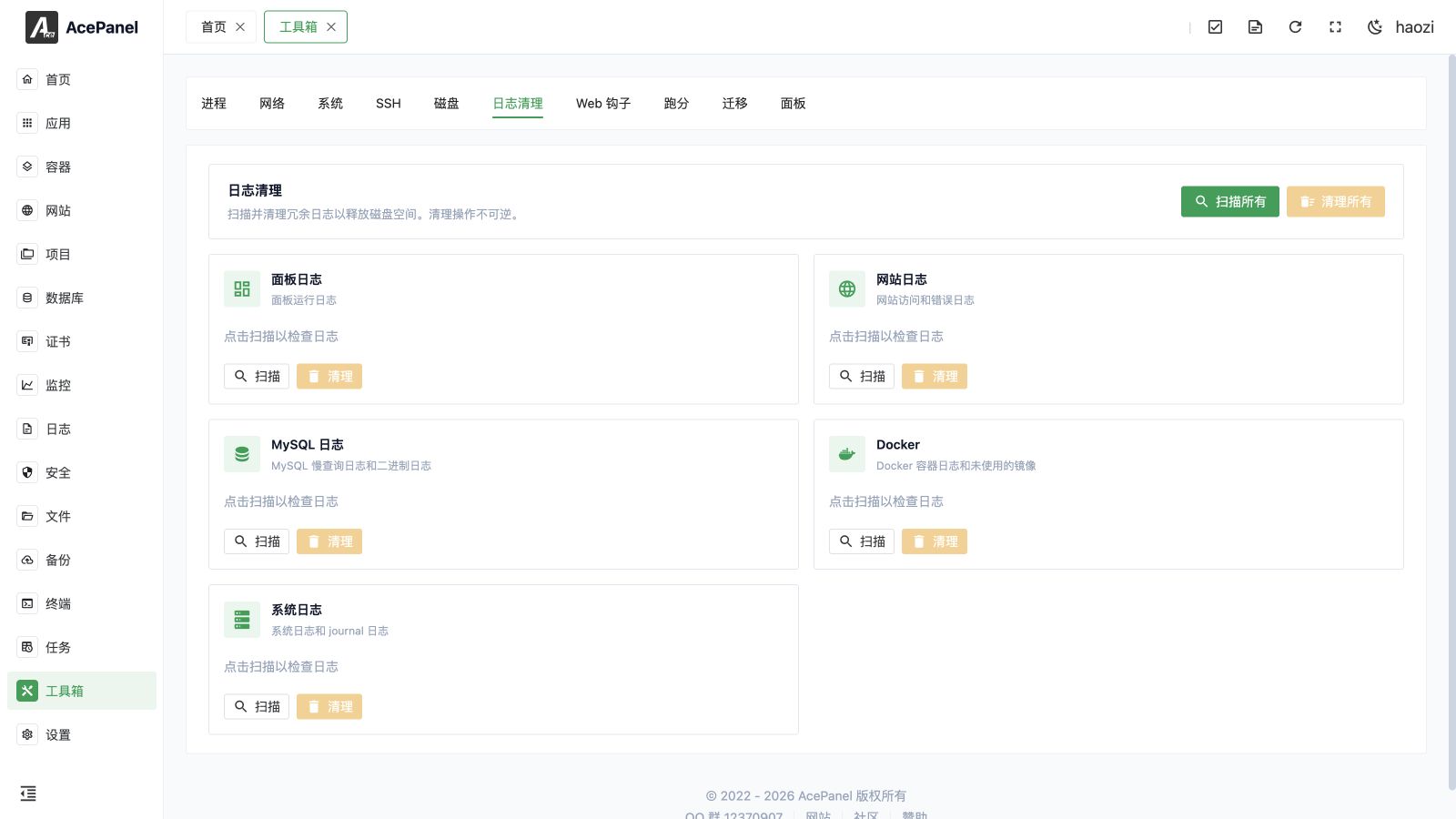
The log cleanup feature is used to scan and clean up log files generated by the system and applications to free up disk space. In the panel it appears under the toolbox as Log Cleaner.
Feature Overview
The top of the page provides batch operation buttons:
- Scan All: Scan all types of logs
- Clean All: Clean all scanned logs
Scanning is read-only: it reports the matching items, count, and estimated reclaimable space. Cleaning removes or vacuums the items found by the scan and reports the actual result. Scan again if new logs were written after the previous result.
Log Types
Panel Logs
Log files generated by panel operation.
- Click Scan to check log size
- Click Clean to delete log files
Website Logs
Website access logs and error logs, including:
- Access logs (access.log)
- Error logs (error.log)
- Individual logs for each website (works with Nginx, OpenResty and Apache)
Tip
Website logs are usually the largest type of logs, it is recommended to clean them regularly.
MySQL Logs
Log files for Percona/MySQL/MariaDB databases:
- Slow query log (
mysql-slow.log) - Binary log (binlog,
mysql-bin.*)
Note
Binary logs are used for data recovery and master-slave replication, please confirm they are no longer needed before cleaning.
Docker
Docker and Podman related logs and unused resources:
- Container logs (Docker and Podman)
- Unused images
- Build cache and other reclaimable resources are freed during cleanup (via
system prune), but are not reported in scan results
System Logs
System-level log files:
- systemd journal logs
- System logs under
/var/log(syslog,messages,auth.log,secure, and any/var/log/*.logfiles) - Kernel logs (
kern.log,dmesg) - Login records (
btmp,wtmp,lastlog)
Journal retention
The systemd journal is not deleted entirely. Cleaning runs journalctl --vacuum-time=1d, so only entries from the most recent day are kept.
lastlog is scan-only
/var/log/lastlog is included in the scan results so you can see its size, but it is not truncated during cleanup. This file stores each user's last login time and is sparse, so its reported size is usually much larger than the disk space it actually occupies.
Usage
- Click the Scan button for each type to view log space usage
- Confirm the log types to clean
- Click the Clean button to delete logs
Or:
- Click Scan All to scan all logs at once
- View the usage of each type
- Click Clean All to batch clean
Notes
- Cleanup operations are irreversible, please confirm logs are no longer needed
- Log cleanup targets panel logs, website logs, MySQL slow-query and binary logs, Docker container logs and unused images, and system log or journal data. It does not delete website content, database tables, active container volumes, or normal business files.
- Download logs first when they may be needed for an incident, audit, failed backup, or security investigation.
- Important logs should be backed up first
- In production environments, it is recommended to keep recent logs for troubleshooting