
Compose
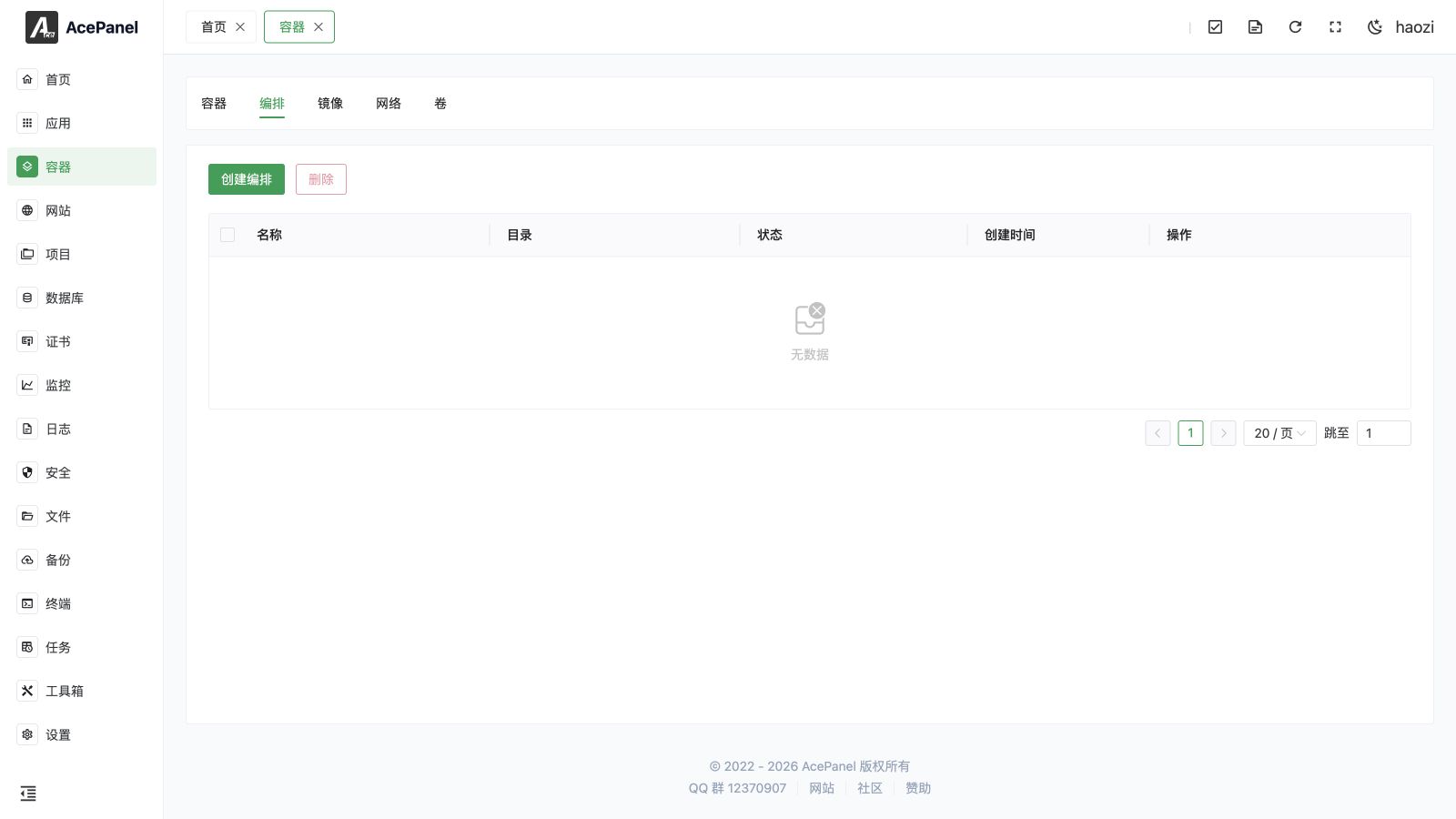
The compose feature is based on Docker Compose, used to define and run multi-container applications. Describe the application's services, networks, and volumes through a YAML file, then start the entire application with one click.
Compose List
Go to Container > Compose tab to view the compose list.
The list displays the following information:
- Name: Compose project name
- Directory: Directory where docker-compose.yml file is located
- Status: Running status
- Created Time: Creation time
- Actions: Start, stop, edit, etc.
Create Compose
- Click the Create Compose button
- Enter compose name
- Write or paste docker-compose.yml content
- Configure environment variables (optional)
- Click Submit
docker-compose.yml Example
services:
  web:
    image: nginx:latest
    ports:
      - "80:80"
    volumes:
      - ./html:/usr/share/nginx/html
    depends_on:
      - app
  app:
    image: php:8.4-fpm
    volumes:
      - ./html:/var/www/html
  db:
    image: mysql:8.4
    environment:
      MYSQL_ROOT_PASSWORD: your_password
      MYSQL_DATABASE: myapp
    volumes:
      - db_data:/var/lib/mysql
volumes:
  db_data:
Compose Operations
Start Compose
Click the Start button and a confirmation dialog will pop up:
- Force Pull Images: When checked, will pull the latest images before starting
After clicking confirm, a terminal window opens and displays the real-time output of the startup command:
Starting compose will create and start all defined service containers.
Stop Compose
Stopping compose will stop all related containers, but will not delete containers and data.
Delete Compose
Deleting compose will stop and delete all related containers, and remove the compose project directory.
You can also select multiple composes in the list and click the Delete button at the top to delete them in bulk.
Note
Deleting compose will not delete data volumes. To delete data volumes, please manually delete them on the Volume page.
Edit Compose
Click the Edit button in the compose list to modify the docker-compose.yml file content and environment variables.
After modification, you need to restart the compose for changes to take effect.
Use Cases
Compose is suitable for the following scenarios:
- Multi-container Applications: Such as Web application + database + cache
- Development Environment: Quickly set up a consistent development environment
- Microservices Architecture: Manage multiple interdependent services
Difference from Container Templates
| Feature | Compose | Container Templates |
|---|---|---|
| Configuration Method | Write YAML manually | Graphical interface |
| Flexibility | Fully customizable | Use preset configuration + customization |
| Use Cases | Custom complex applications | Quick deployment of common applications |
| Learning Cost | Need to understand Compose syntax | No learning required |