
Certificate
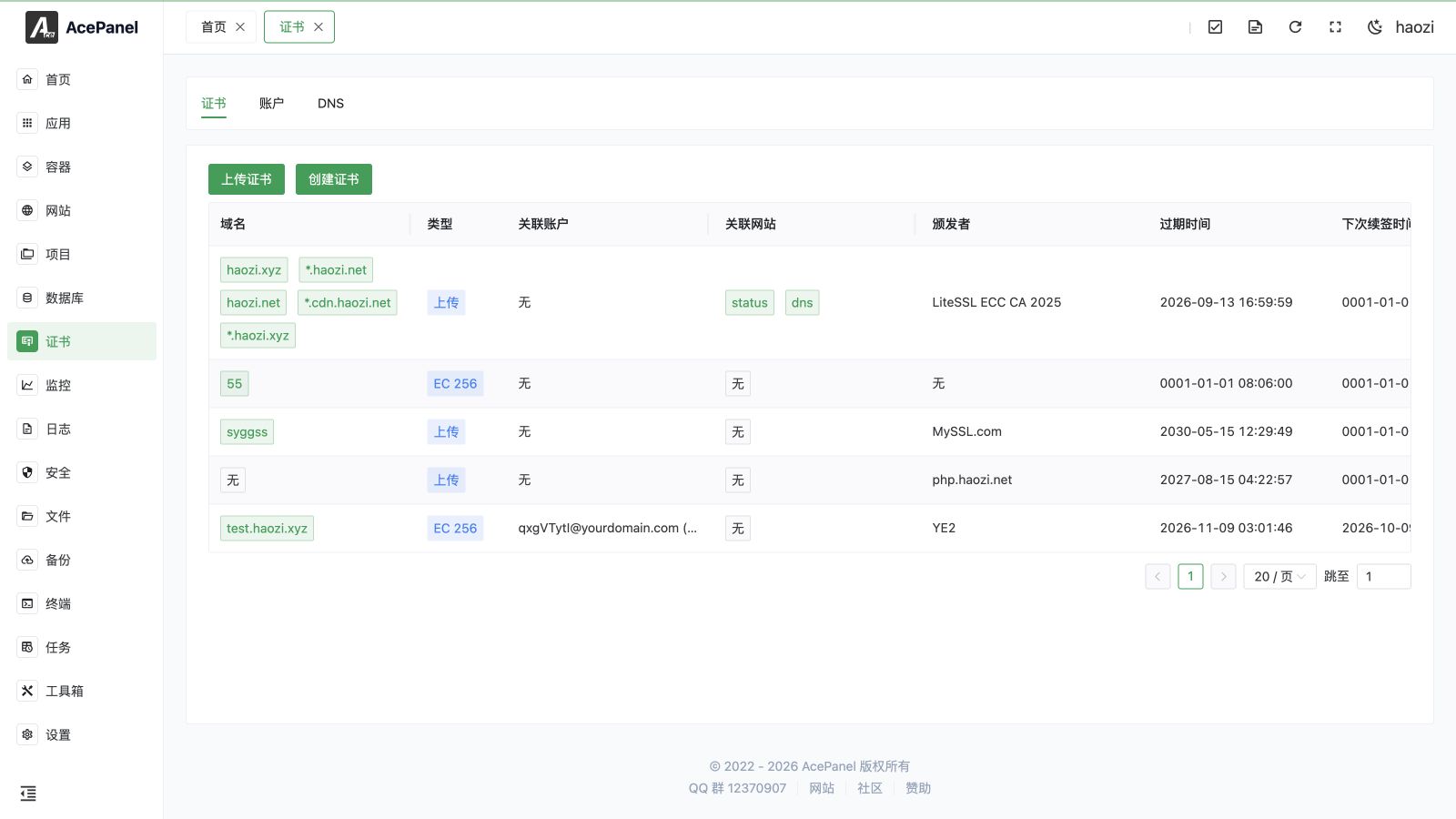
The certificate module is used to manage SSL/TLS certificates, supporting automatic free certificate application through the ACME protocol, as well as uploading your own certificates.
Feature Overview
The certificate module is divided into three parts:
| Feature | Description |
|---|---|
| Certificate | Manage SSL certificates |
| Account | Manage ACME accounts |
| DNS | Manage DNS API configuration |
Certificate Types
Free Certificates
Automatically apply for free certificates from CAs like Let's Encrypt through the ACME protocol:
- Let's Encrypt: The most popular free certificate authority
- LiteSSL: Free certificate service provided by TrustAsia
- Google: Google's free certificate service
- GoogleCN: Google certificate service mirror provided by AcePanel
- ZeroSSL: Another free certificate option
- SSL.com: Free certificate service provided by SSL.com
Free certificates are typically valid for 90 days, and AcePanel supports automatic renewal.
Paid Certificates
Certificates purchased from commercial CAs, typically valid for 1 year or longer:
- Longer validity period
- Higher trust level
- Provides insurance and technical support
If you need to purchase certificates, you can contact us through the "Certificate" link at the top of this page.
Self-signed Certificates
In addition to ACME and uploaded certificates, AcePanel can generate self-signed certificates for testing or internal use. These are not trusted by browsers but are useful when public CA validation is not required.
When you issue a certificate, you choose between two issuance modes:
- Automatic: Apply for a certificate through the ACME protocol (HTTP or DNS verification).
- Self-signed: Generate a self-signed certificate locally, without contacting any CA.
The automatic mode displays real-time progress while the certificate is being issued or renewed, so you can follow each step and see the exact error message if issuance fails.
Verification Methods
When applying for a certificate, you need to verify domain ownership. The following methods are supported:
HTTP Verification
Place a verification file in the website root directory, and the CA verifies through HTTP access.
Requirements:
- Domain is resolved to the server
- Port 80 is accessible
DNS Verification
Add a TXT record in the domain DNS for verification.
Requirements:
- Have DNS management permissions for the domain
- Configure DNS API (for automatic verification)
Advantages of DNS verification:
- Supports applying for wildcard certificates (*.example.com)
- Does not require port 80 to be accessible
- Suitable for intranet servers
- Supports DNS alias (DNS-01 CNAME delegation), allowing the validation TXT record to be placed in another domain or zone
Quick Start
- Create an ACME account (first time use)
- If DNS verification is needed, configure DNS API
- Create a certificate, select verification method
- Apply the certificate to the website
Renewal
Each certificate has an Auto Renewal switch. When enabled (on by default for newly created certificates), AcePanel automatically renews the certificate before it expires. Uploaded certificates cannot be auto-renewed.
You can also trigger a Renewal manually at any time from the certificate list. As with automatic issuance, manual renewal shows real-time progress.
Deployment
After a certificate is issued or uploaded, use Deploy to apply it:
- Website: A certificate can be deployed to one or more websites at the same time.
- Enable HTTPS: Optionally enable HTTPS on the selected websites during deployment.
In addition, each certificate can carry an optional Deployment Script. The {cert} and {key} placeholders in the script are replaced with the certificate and private key content, which is useful for deploying certificates to services other than the built-in websites.
Next Steps
- Certificate Management - Learn how to apply for and manage certificates
- Account Management - Learn how to manage ACME accounts
- DNS Configuration - Learn how to configure DNS API