
Logs
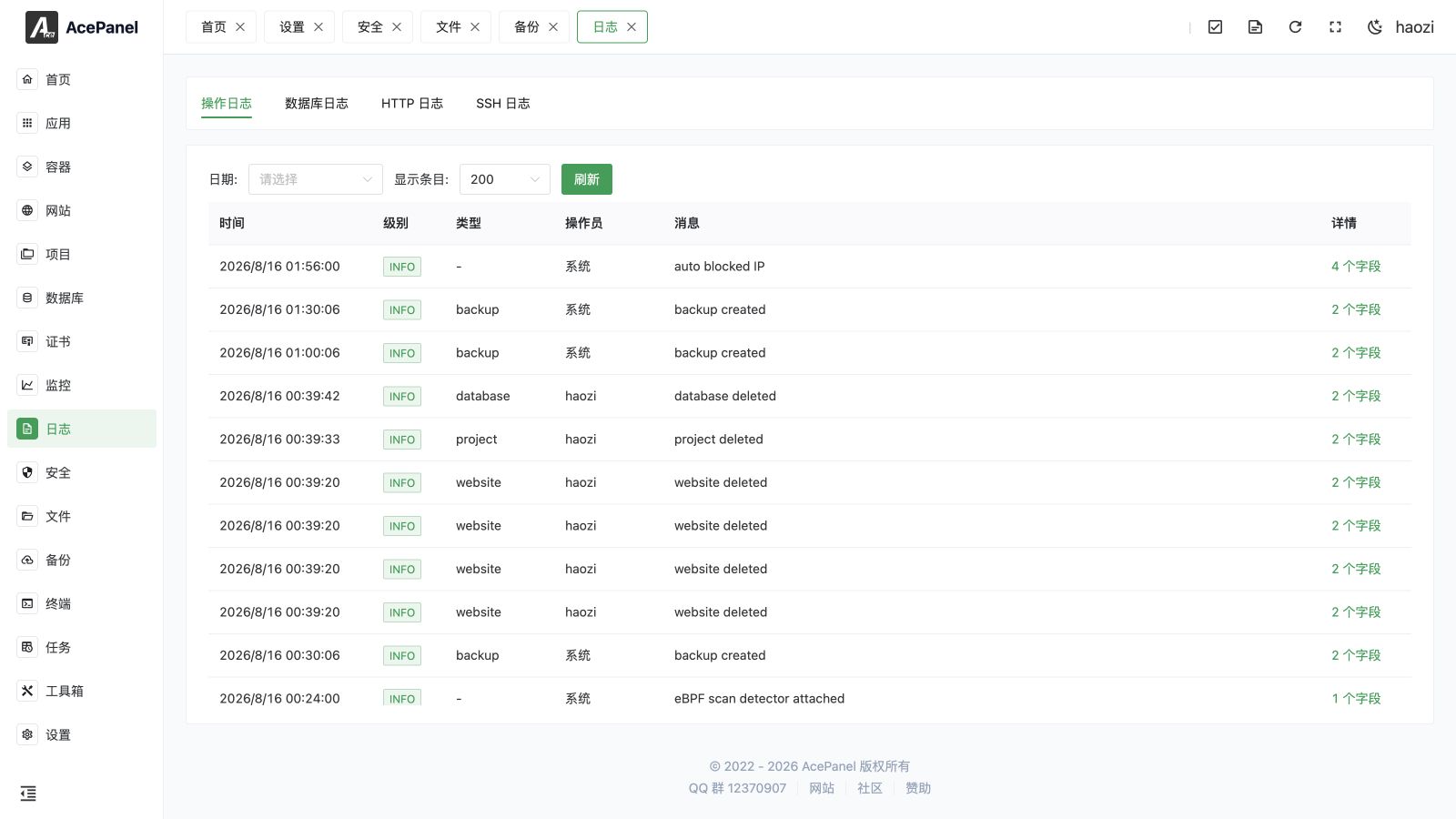
The top-level Logs module provides a single place for panel audit data and live system logs. Its tabs are Operation Logs, Database Logs, HTTP Logs, and SSH Logs.
Log Types
| Tab | Content |
|---|---|
| Operation Logs | Administrative actions performed through AcePanel. Use it to identify who changed a resource and when. |
| Database Logs | Database-related operations recorded by the panel. This is not a replacement for an engine's complete slow-query, error, or audit log. |
| HTTP Logs | Panel HTTP request activity and response information available to the audit logger. |
| SSH Logs | Incrementally loaded SSH service events such as logins and authentication failures. |
Application, website, container, project, task, and systemd logs are opened from their corresponding resource pages, but use the same real-time viewer behavior described below.
Real-Time Log Viewer
The viewer shows its connection state and loads new lines incrementally. Its controls include:
- load older history;
- search the lines that are currently loaded;
- jump to the previous or next match;
- toggle line wrapping;
- copy all loaded text;
- download when the log source permits it;
- clear when the selected log supports clearing;
- enter or leave full screen.
Search does not query the entire file on disk. Load the required history first, then search. Very large histories should be downloaded and processed with command-line tools instead of repeatedly loading them into the browser.
The viewer uses virtual scrolling for long output and interprets carriage returns, control sequences, and ANSI colors so command progress and colored output display correctly.
Clearing and Retention
In Operation Logs, Database Logs, and HTTP Logs, click Clean and choose a date to delete entries on and before that date. SSH logs use their underlying system-log retention instead.
Clearing a log is destructive and may remove evidence needed for incident investigation. Download it first when an audit, failure, or security event is under review. Some systemd and SSH sources are incremental views backed by system logs; their retention is controlled by the underlying service or journal configuration.
Use Log Cleanup for an inventory of reclaimable panel, website, database, container, and system logs. Log cleanup does not delete normal website files, database tables, or container volumes.
Troubleshooting
- Disconnected: keep the dialog open while it reconnects, then check the resource and panel service if no new data appears.
- Search misses an old entry: load more history or download the log.
- Garbled output: confirm the producing process writes UTF-8 text.
- No operation entry: verify that the action completed through the panel rather than directly on the server.