
pgAdmin
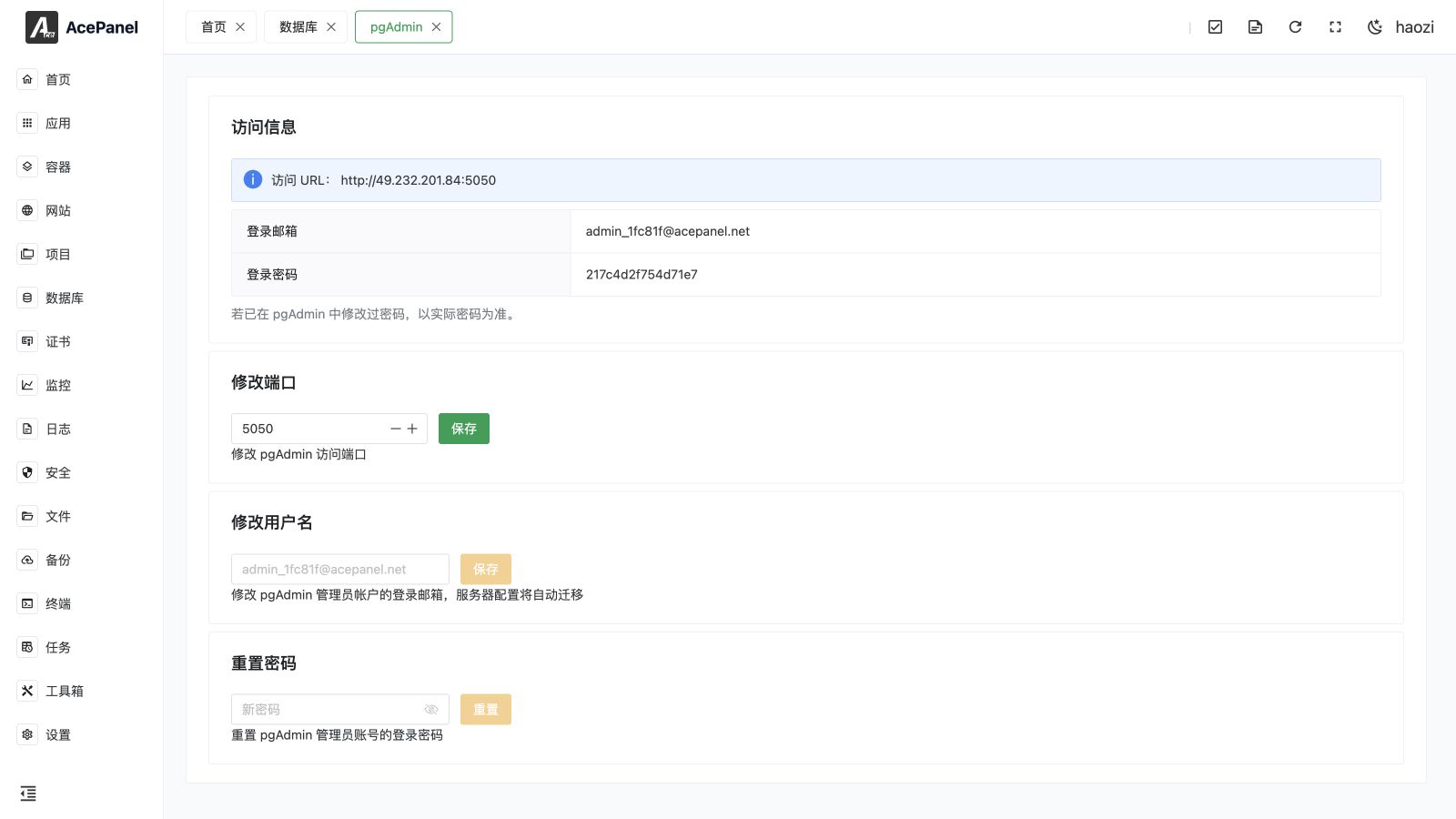
pgAdmin is the Web administration tool integrated with PostgreSQL in AcePanel. Install it as a native application, then open it from a PostgreSQL database row or manage its access settings from the application manager.
Prerequisites
- Install at least one PostgreSQL server in Apps and register it under Databases > Servers.
- Install the pgAdmin native application.
- Restrict its listening port with the system firewall, cloud security group, or a trusted reverse proxy.
Open pgAdmin
Go to Databases, select a PostgreSQL server tab, and use the pgAdmin action for a database. AcePanel opens pgAdmin and supplies the configured server information for one-click access.
The database-type tabs are dynamic: a MySQL, PostgreSQL, ClickHouse, Redis, Valkey, or other type is shown only when at least one corresponding database server exists. The management tool follows the panel language.
Access Settings
Go to Apps > Installed > pgAdmin > Manage to view or change:
- access URL and port;
- administrator email;
- administrator password;
- the pgAdmin account used by AcePanel.
Changing the administrator email migrates the PostgreSQL server definitions that AcePanel has synchronized to pgAdmin. Confirm that all expected servers still appear after the change.
Security
- Treat the pgAdmin administrator password as a privileged database credential.
- Do not expose pgAdmin directly to the public internet. Use an allowlist, VPN, or authenticated reverse proxy.
- A changed port also requires firewall and upstream-security-group changes.
- Use TLS when the connection leaves a trusted network.
Troubleshooting
- The pgAdmin action is missing: confirm pgAdmin is installed and the current database tab is PostgreSQL.
- A server is not listed: verify it under Databases > Servers, then reopen or resynchronize pgAdmin.
- The page does not open: check the pgAdmin service, listening port, firewall, and application log.
- Login fails after an email change: use the current email, reset the password from the manager, and verify the synchronized account.
For MySQL, AcePanel provides the corresponding phpMyAdmin entry and lets you select the target MySQL server.